
About Sheridan College
Sheridan College is a popular postsecondary institution in Ontario. Founded in 1967, the college has grown consistently over the last 55 years. Although I worked remotely from home as a Co-op student, they have three different campuses in Oakville, Brampton, and Mississauga.
They have five different faculties, including the Faculty of Applied Science and Technology (FAST). FAST has over 40 programs available to students, ranging from Applied Computing, the area I worked in, to Architecture, Engineering, Skilled trades, etc.
Sheridan College has a great Tutoring Centre that offers a lot of different types of support for its students. Since University has been a mix of online and in person studies for the last two years, the learning center also offers both options. Tutors are available for all subjects and most classes. They are easily accessible and have full time and part time tutors to ensure a student can find help fast.
About My Job
I worked as an Applied Computing Tutor at Sheridan, as part of the tutoring center. I worked remotely, connecting with students over a website called Tutor Ocean and WebEx. Tutor Ocean allowed students to find profiles of tutors and book sessions.

My calendar consisted of three different types of sessions. The first type was drop in times, meaning I had certain times when I had to be on WebEx and students could easily join in. The next type was appointment times, these are times the students had to book in advance and were usually longer in length, 30 minutes to 90 minutes. The final type of session was tutorials. Tutorials were group study sessions for a certain class. Being an Applied Computing Tutor, the two courses I held tutorials for were Computer Math Fundamentals and Java 1: Object Oriented Programming. However, students could book appointments for help with more advanced Java, C, and general computer questions.
When students came in for appointments or drop ins, they usually had a few specific questions or wanted to review a topic. For tutorials, I would answer any questions students had and review the topics they had covered that week.
Outside of these sessions, we held additional study groups near midterms and exams. Although I was available all day, there were times when nobody would be looking for tutoring and I used that time to work on other tasks.
Other tasks and responsibilities:
- Compiling statistics from other Applied Computing Tutors into a weekly report.
- Filling out monthly surveys, sometimes doing the monthly report for the Applied Computing Team.
- Creating content for special midterm/exam study sessions (such as Kahoots, Handouts, Powerpoints).
- Working with the Team to create powerpoints for tutorials.
- Creating posters on Canva.
- Making announcements on slate.
- Replying to students’ messages on TutorOcean.
- Creating additional content to help students (Handouts, review questions, webex tutorial)
Software used:
- Tutor Ocean
- Webex
- Teams – to communicate with co-workers
- Canva
- Photoshop – to create images for content
- Notepad++
- NetBeans
- Sharepoint


My Goals
Technological Literacy
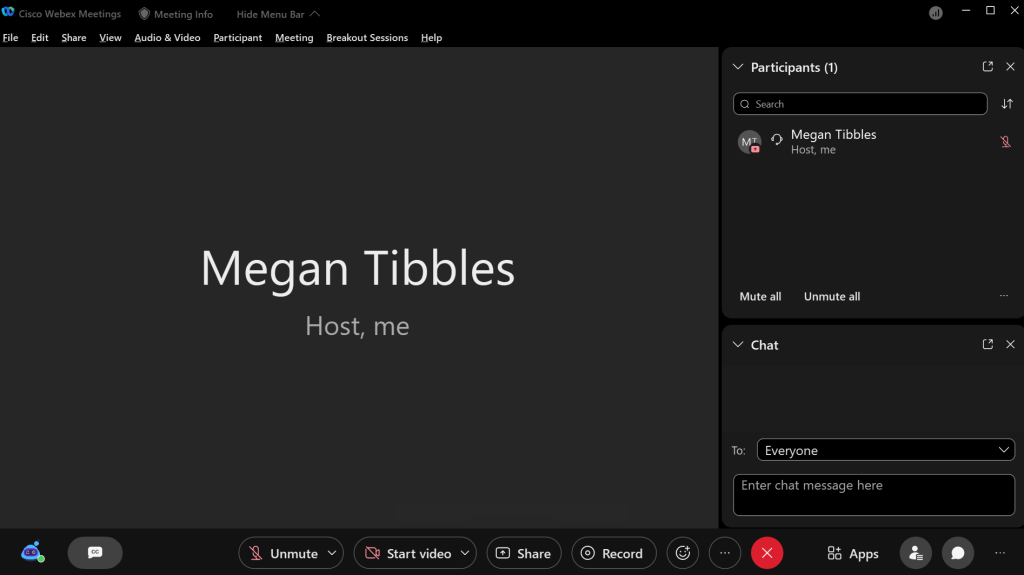
Since I was working remotely this term, WebEx was a major tool used in my day to day work. Prior to working at Sheridan, I had no experience with WebEx, so I made it a goal to become more familiar and efficient with it. Since I was using WebEx to tutor students, it was very important to learn more about the tools so I could make online tutoring as close to in person as possible. My goal was to use 4 different tools regularly, this would ensure I could tutor for students with all different learning styles and types of questions. I succeeded in this goal, by the end of the term, I was consistently using 6 tools in WebEx. These tools were the Whiteboard, Breakout Rooms, Annotations, Closed Captions, Polls, and taking control of another person’s screen. All of these tools improved my tutoring skills. For example, using the whiteboard was a great way to show examples in math or using visuals to explain a programming concept. Whereas, sharing my screen and using annotations was very useful in walking through programs.
Personal Organization

Since my days differed a lot, depending on students’ participation, it was imperative that I took detailed notes. Sheridan’s Learning Center required all tutors to track every interaction they had with a student in Sharepoint. I needed to keep track of the number of appointments, drop ins, and tutorials attended. As well as which students came and what we discussed. I decided to use google sheets for this task, I tracked the number of appointments, drop ins, and tutorials attended with the topics reviewed. As well as missed or cancelled appointments and what I did in the time between seeing students. These notes would allow me to easily share my data in Sharepoint and create the weekly report. I was able to keep this habit throughout the entire work term, consistently adding to my sheet in google sheets every day. Each Friday, when I went to compile my report, there were no issues calculating the number of appointments, drop ins, and missed appointments, making my task much easier. These records also helped each month when completing the end of month report, I could easily review my records of the previous weeks and answer the questions in the survey. Questions like, “Was attendance higher or lower than the previous month?”, “What were the most popular questions?”, ” What have you done to increase attendance this month?”, etc. Tracking my time this way also brought my attention to trends in what the students were asking a lot of questions about. For example, if a lot of students booked appointments to ask about loops in Java, I would make sure to pay special attention to loops in the next tutorial.
Time Management
At the beginning of this work term, I quickly realized it would be hard to schedule my time. This is because my schedule is dependant on students booking and attending sessions. In order to increase productivity and efficiency, I wanted to become more flexible with my time. I achieved this by creating a list at the beginning of each week with tasks that needed to be done. Therefore, if a student cancelled or I had free time, I could refer to my list to know what to do. This list consisted of reviewing materials, creating reports, completing surveys and additional training, etc. Although I was successful, since I did not miss any deadline and always had something to do, my system was not as useful as I thought it would be. This is most likely due to the nature of the job, since most tasks were small and urgent, I would complete them right away. The list was more useful when I had larger assignments that took more time. Overall, I think my time management skills improved and this job helped me become more flexible.
Conclusion
My Co-op experience at Sheridan College proved to be terrific. The environment was great, as welcoming as remote work can be, and I was pushed outside of my comfort zone, allowing me to grow. Not only did I improve my time management and personal organization skills, but I also learned a lot about working with other people. My communication had to improve as I needed to find the best ways to get my ideas across to students. I also needed to work with other tutors often, learning how to collaborate on projects and share ideas. I would recommend this co-op position to any co-op students looking for a job.
 Megan Tibbles